 By
By name: iblai-readme description: Write or refresh the README.md globs: alwaysApply: false
/iblai-readme
Write or refresh the project's README.md in the standard ibl.ai format —
the same shape used by iblai/vibe-starter
and the reference apps in iblai/vibe.
The README tells humans what the project is, how to run it, how to build
native shells, how to ship releases, and how to contribute — with
consistent section headings, badges, and conventions across every ibl.ai
app.
What This Skill Does
- Read
package.jsonto derive the project name, version, description, and scripts (dev,build,start,release). - Detect which features are wired (auth, chat, analytics, native builds, Docker) by inspecting source files and dependencies — only document what's actually present.
- Check whether
README.mdalready exists. - If it exists, merge the standard sections into it (do not clobber custom prose the maintainers wrote). Replace stale ibl.ai sections with the updated versions below.
- If it does not exist, create it from the full template below.
- Verify there are no broken internal links (
docs/screenshots/...,CLAUDE.md,AGENTS.md) and warn the user about any that are missing.
Step 0: Inspect the Project
Before writing, gather these inputs:
| Source | Reads |
|---|---|
package.json |
name, version, description, scripts.{dev,build,start,release} |
iblai.env |
DOMAIN, PLATFORM, presence of VERCEL_TOKEN |
Dockerfile |
Presence → include the Docker section |
next.config.{ts,mjs,js} |
output: 'export' → static mode; otherwise server mode (for the Vercel section copy) |
src-tauri/tauri.conf.json |
Presence → include the Native builds section AND keep the Deploy to Vercel section (mobile dev builds use the Vercel URL) |
| `app/(onboarding | onboarding)/, app/sso-login*` |
CLAUDE.md / AGENTS.md |
Presence → cross-link them |
docs/screenshots/*.png |
Use existing names; do NOT invent missing files |
Do NOT invent feature rows for surfaces that don't exist. The feature table should mirror what the codebase actually ships.
Step 1: Check for Existing README.md
Read README.md in the current working directory. If it exists:
- Preserve any custom narrative (e.g. company-specific context, a "What is X" paragraph, hand-written contributing guidelines).
- Replace standardized sections (badges, "Quick Start", "Built With", "Native builds", "Project Structure", "Releasing") with the templates below — these go stale fast and should track the canonical format.
- If a
## ibl.aiboilerplate section exists from a prior run, replace it with the updated version below.
If README.md does not exist, write the full template.
Step 2: Write the README Content
The template below mirrors the standard ibl.ai README. Adapt the
placeholders in {{ ... }} to the values you derived in Step 0, drop
sections whose features aren't present (Docker, Native builds,
Releasing), and keep the section order.
Template
<div align="center">
<a href="https://ibl.ai"><img src="https://ibl.ai/images/iblai-logo.png" alt="ibl.ai" width="300"></a>
# {{ Project Title }}
{{ One-sentence tagline, under 140 chars. }}
[](https://nextjs.org)
[](https://www.typescriptlang.org)
[](https://tailwindcss.com)
[](https://claude.ai)
</div>
---
## What is {{ Project Title }}
{{ 2-3 sentence project pitch. Mention `@iblai/iblai-js` and `iblai.app`. }}
| Feature | Description |
|---------|-------------|
{{ One row per real feature in the codebase. Examples:
| **Chat** | Full agent chat at `/platform/{tenant}/{mentor}` via the SDK `<mentor-ai>` web component — streaming, sessions, files, voice |
| **Explore Agents** | Browse starred / featured / custom / community agents with the SDK `<AgentSearch>` component |
| **Edit Agent** | Per-agent dialog wired to the SDK `Agent*Tab` components (Settings, LLM, Prompts, Tools, Memory, Safety, History, Datasets, API, Embed) |
| **Profile** | Edit basic info, social links, education, experience, resume, and avatar |
| **Account** | Organization settings, user management, integrations, advanced, and billing tabs |
| **Analytics** | Agent and learner analytics dashboards (usage, courses, programs, users, topics, transcripts, financial, reports) |
| **Notifications** | Header dropdown showing recent notifications and unread badge |
| **Tenant Switching** | Switch between organizations from the avatar dropdown |
| **SSO Authentication** | Login via iblai.app — no tokens to manage |
}}
{{ Reference 1-3 screenshots from `docs/screenshots/`. Drop this block if
none exist. }}

## AGENTS.md / CLAUDE.md
Please refer to `CLAUDE.md` at the repository root for component priorities,
SDK import conventions, and the env-setup flow Claude Code should follow
when running the app for the first time.
## Quick Start
### Prerequisites
- Node.js 18+
- pnpm (fall back to npm only if unavailable)
- An ibl.ai platform login (or a tenant you can SSO into via [iblai.app](https://iblai.app))
### Install & Run
```bash
pnpm install
pnpm dev
Open http://localhost:3000. {{ One sentence on what happens after the first request — e.g. SSO redirect / home redirect to a default route. }}
.env.local is already populated with the iblai.app endpoints — no
manual platform credentials are needed up front.
Build
pnpm build
pnpm start
{{ INCLUDE if Dockerfile exists }}
Docker
docker build -t {{ image-name }}:{{ version }} {{ flags }} .
docker run -p {{ port }}:{{ port }} \
  -e NEXT_PUBLIC_API_BASE_URL=https://api.iblai.app \
  -e NEXT_PUBLIC_AUTH_URL=https://login.iblai.app \
  -e NEXT_PUBLIC_PLATFORM_BASE_DOMAIN=iblai.app \
  {{ image-name }}:{{ version }}
{{ INCLUDE this Deploy to Vercel subsection whenever the project
can ship a Vercel deployment (it covers both static output: 'export'
Tauri shells and server-rendered Next.js apps).
Drop only if the project is explicitly self-hosted with no Vercel
target. Full guide:
/iblai-ops-deploy. }}
Deploy to Vercel
Deploy with the vercel CLI (full procedure in
/iblai-ops-deploy):
# server-rendered app (Vercel runs the build remotely):
npx vercel deploy --prod --token="$VERCEL_TOKEN" --yes --public
# static export (Tauri shells): build first, then deploy out/:
pnpm build && npx vercel deploy out/ --token="$VERCEL_TOKEN" --yes --public
After deploying, disable the project's Vercel auth / password protection.
For server mode, also push .env.local to the project (production + preview)
and redeploy with --force + VERCEL_FORCE_NO_BUILD_CACHE=1 so the
NEXT_PUBLIC_* values re-inline into the client bundle.
Setup: generate a Vercel token at
https://vercel.com/account/tokens
and add it to iblai.env:
echo 'VERCEL_TOKEN=<token>' >> iblai.env
Going back to local (Tauri dev builds): remove devUrl from
src-tauri/tauri.conf.json and the WebView loads local static files
again.
Tip: You can change the vercel domain name by clicking on the three-dot button on your Vercel project on
vercel.comand select "Manage Domains".
{{ INCLUDE if src-tauri/tauri.conf.json exists. Mirror the structure
in /iblai-ops-build — one subsection per platform (iOS / Android /
macOS / Linux / Surface), each with a screenshot and the relevant
pnpm exec tauri … commands. Do NOT duplicate the full skill — keep
each platform to ~6–8 lines and link to the canonical guide. }}
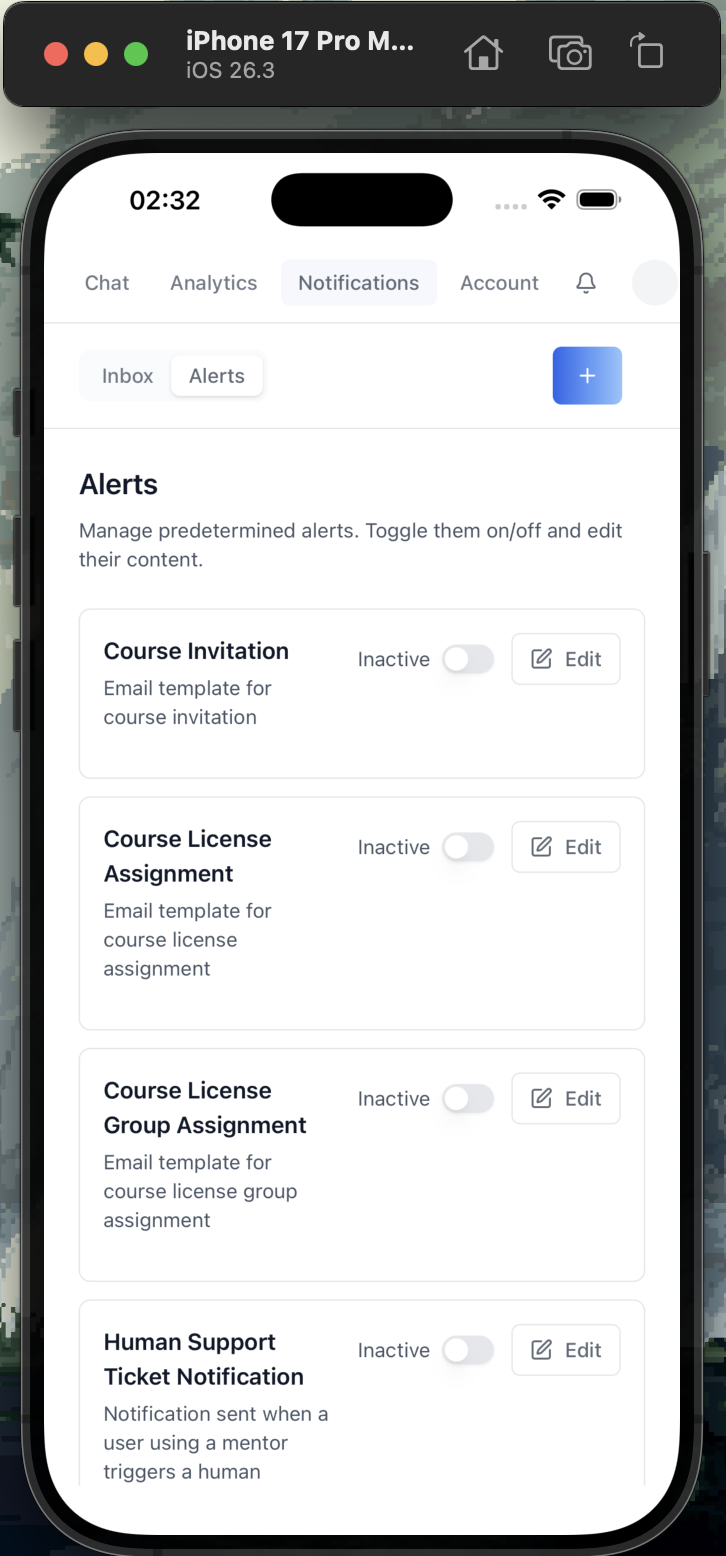
Native builds (iOS, Android, macOS, Linux, Surface)
Wrap the app in a native shell with Tauri v2 using
Tauri directly (pnpm exec tauri …) (full guide:
/iblai-ops-build).
{{ Include only the platforms the project actually targets. Each subsection follows this pattern:
iOS
rustup target add aarch64-apple-ios aarch64-apple-ios-sim
pnpm exec tauri ios init                          # one-time
xcrun simctl list devices                            # list simulators
pnpm exec tauri ios dev "iPhone 16 Pro Max"       # run on simulator
pnpm exec tauri ios build                         # produce .ipa
# CI: copy assets/tauri/workflows/tauri-build-ios.yml.j2 (see /iblai-ops-build)                 # generate App Store CI
}}
{{ INCLUDE if package.json has a release script using release-it }}
Releasing
Releases are automated via release-it
- GitHub Actions. {{ Brief description of the release flow — pushes to main, version bumps, CHANGELOG, GitHub Release, Docker image build, etc. }}
Project Structure
{{ Tree of `app/`, `components/`, `lib/iblai/`, `providers/` —
showing only directories and the most important files. Trim to fit
on one screen. }}
Built With
- Next.js — App Router
- @iblai/iblai-js — SDK for auth, UI components, and data
{{ Add
@iblai/iblai-web-mentor,<mentor-ai>etc. only if used }} - Tailwind CSS — utility-first styling with ibl.ai design tokens
- shadcn/ui — accessible UI primitives
- iblai.app — production backend for auth, AI agents, billing, and analytics
Contributing
Setup
- Fork the repo and clone it
- Install dependencies:
pnpm install - Start the dev server:
pnpm dev
Development Workflow
- Create a branch from
main:git checkout -b feat/my-feature - Make your changes
- Run
pnpm buildto verify the build passes - Commit and push your branch
- Open a pull request against
main
Guidelines
- Use ibl.ai SDK components first — do not build custom components when an SDK equivalent exists
- Use shadcn/ui for custom UI — install via
npx shadcn@latest add <component>, not raw HTML or third-party libraries - Do not override SDK styles — SDK components ship with their own styling
- Use SDK design tokens — reference CSS variables like
var(--primary-color),var(--border-color),var(--text-secondary)instead of hardcoded colors - Use
pnpmas the package manager
Adding Features
Use the Claude Code skills to add new features:
/iblai-auth— SSO authentication/iblai-profile— user profile/iblai-account— account/org settings/iblai-analytics— analytics dashboard/iblai-notification— notification bell/iblai-invite— invite dialogs
See CLAUDE.md for the full list of skills and component priority rules.
Resources
- ibl.ai Documentation
- @iblai/iblai-js — the ibl.ai SDK
- @iblai/mcp — MCP server for AI-assisted development
- Vibe — developer toolkit for building with ibl.ai
- Vibe Starter — pre-wired Next.js + ibl.ai SSO template {{ Add other public repo links the user wants discoverable }}
{{ Optional: a one-line bootstrap credit. Drop if nothing applies. }}
---

## Step 3: Validate Links

After writing, scan the README for paths that should resolve in the repo
and warn the user about any that are missing:

| Path | Required when |
|------|---------------|
| `docs/screenshots/*.png` | The README references screenshots — drop the `<img>` tags if the files don't exist instead of leaving broken links |
| `CLAUDE.md` | Always — link is in the AGENTS.md / CLAUDE.md callout |
| `AGENTS.md` | Optional — only mention it if the file exists |
| `Dockerfile` | If the Docker section is present |
| `src-tauri/tauri.conf.json` | If the Native builds section is present |
| `.github/workflows/release.yml` | If the Releasing section is present |

Do NOT silently add `<img>` tags to files that don't exist. If a
screenshot is missing, drop the line and tell the user which capture is
needed.

## Step 4: Confirm

After writing the file, tell the user:

> Updated `README.md` to the ibl.ai standard format. The badges, Quick
> Start, Native builds, Releasing, Project Structure, and Contributing
> sections are now consistent with `iblai/vibe-starter` and the reference
> apps in `iblai/vibe`. {{ If you skipped any sections (e.g. no
> Dockerfile present) }}, mention them so the maintainers know the
> README adapts as those features land.

## Important Notes

- **Source of truth:** `iblai/vibe-starter`'s `README.md` plus the
  per-skill READMEs in `iblai/vibe`. When updating this skill, diff
  against the latest `main` of those public repos and pull through
  structural changes.
- **Do not reference internal repos.** Only public, open-source
  repositories under [`iblai/vibe`](https://github.com/iblai/vibe) and
  [`iblai/vibe-starter`](https://github.com/iblai/vibe-starter) are
  citable from a generated README.
- **No marketing prose:** Keep claims grounded in what the codebase
  actually ships. Don't add features the project hasn't implemented.
- **Badges:** Always include Next.js + TypeScript + Tailwind + Claude
  Code. Add other badges (e.g. CI status, npm version) only when they're
  meaningful for the project.
- **Screenshots:** Reference real files in `docs/screenshots/`. Don't
  generate placeholders — ask the user to capture them.
- **Don't link to non-existent skills:** Cross-references to other
  `/iblai-*` skills are fine; cross-references to skills that don't
  exist are not.
- **Deploy to Vercel section.** Always include the **Deploy to Vercel**
  subsection unless the project is explicitly self-hosted with no
  Vercel target. The deploy works for both static `output: 'export'`
  Tauri shells and server-rendered Next.js apps (the mode is detected
  from `next.config`). See
  [`/iblai-ops-deploy`](https://github.com/iblai/vibe/blob/main/skills/iblai-ops-deploy/SKILL.md)
  for the full deploy procedure.